NSFW Image-to-Video Generator Review: LOVESCAPE

In the rapidly evolving world of artificial intelligence, LOVESCAPE’s NSFW Image-to-Video tool stands out as an innovative solution for transforming static adult-oriented images into short, animated videos. In this comprehensive review, you’ll learn exactly how to use this AI video generator, explore its interface with annotated screenshots, understand its pros and cons, and discover internal linking opportunities to boost your blog’s SEO.
What Is LOVESCAPE NSFW Image-to-Video?
LOVESCAPE NSFW Image-to-Video is a web-based service that combines AI-powered image creation with seamless animation, designed specifically for adult‑content creators working with fictional characters. It lets you:
- Create Your Character
Generate a high-quality NSFW image of a fictional adult character from a text prompt (e.g., ‘A sultry brunette in leather weaving through city neon lights’). - Animate Your Image
Choose from predefined actions—like smiling, dancing, or posing—to bring your character to life. - Download & Share
Export a short MP4 video (5–15 seconds) optimized for social media sharing or integration into larger projects.
This end-to-end NSFW image to video generator requires no prior animation skills or complex software.
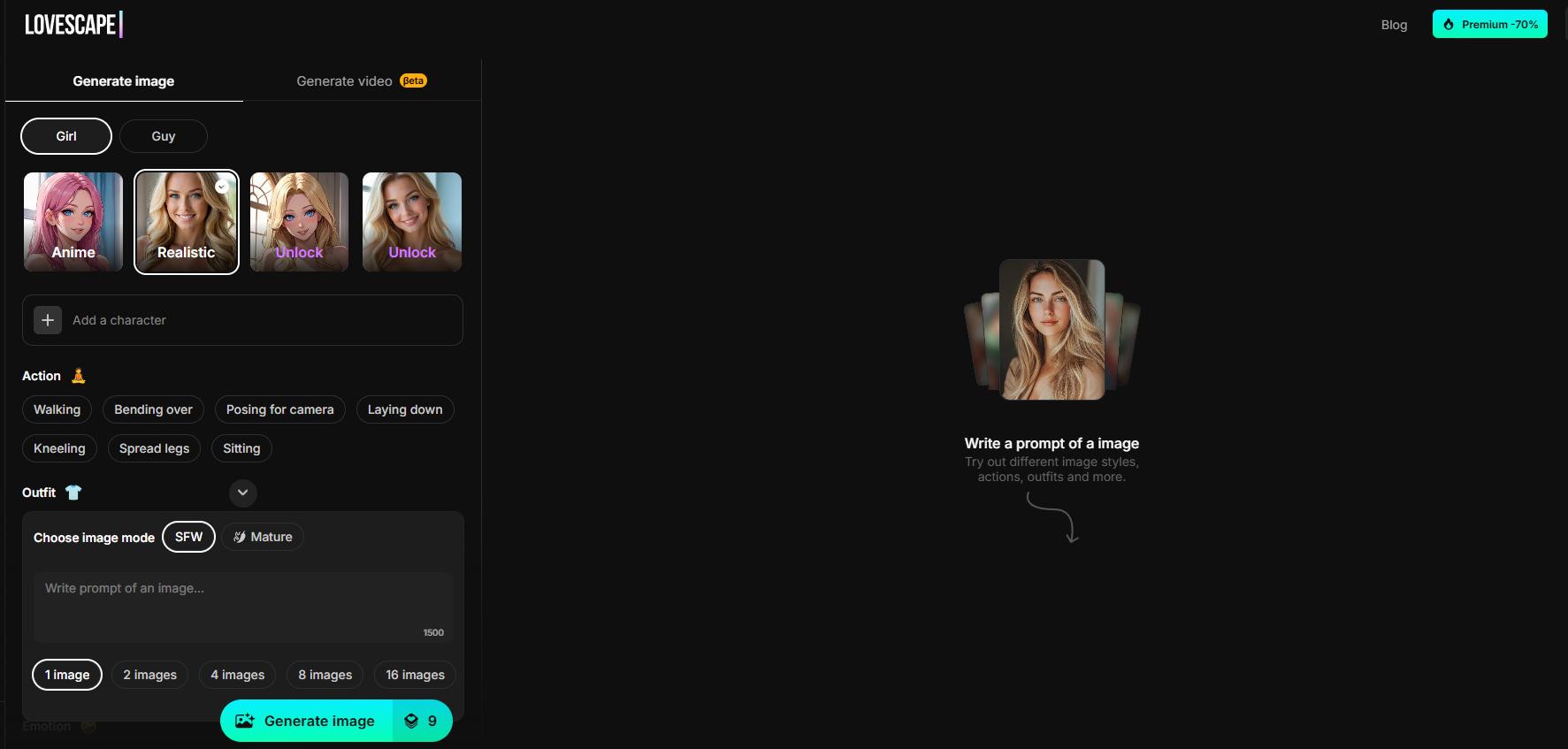
Step-by-Step Tutorial: How to Animate Your NSFW Images
Below is a detailed, annotated walkthrough of LOVESCAPE’s interface. Each step includes a screenshot to guide you.
1. Cast Your Star
Create your lead character by describing their appearance, outfit, and setting.
- Prompt example:
“A stunning blonde woman in a red dress weaving through a neon-lit city crowd.” - Click Generate image to produce the static NSFW image of your character.
2. Direct the Action
Load the generated image and select your character’s movements and emotions.
- Click Choose image and upload your JPEG/PNG.
- Pick one or more recommended actions: Smiling, Tik-Tok dance, Posing, etc.
- Toggle between SFW and Mature modes to control adult content intensity.
- Add extra details in the video prompt field: style of motion, facial expressions, scene atmosphere.
3. Generate & Download Your Video
Once your prompt and actions are ready:
- Hit Generate video (credit counter shows usage, e.g., “90 credits”).
- Wait 30–60 seconds for AI processing.
- Click Download to save your MP4, or share directly via social icons.
Key Features and Benefits
- User-Friendly Workflow:
From text prompt to animated video in three clicks. - AI-Powered Actions:
Built-in templates for lifelike adult content animation with fictional characters only. - Fast Turnaround:
Videos ready in under a minute. - Flexibility:
“Image to video” pipeline lets you animate any AI-generated NSFW character. - Privacy First:
All uploads auto-delete after 24 hours; encrypted transfers.
Pros & Cons
| Pros | Cons |
|---|---|
| No animation skills required; perfect for NSFW creators. | Free tier videos include watermark. |
| Quick results: 30–60 seconds per clip. | Advanced templates require paid credits or subscription. |
| Mature/SFW toggle for content control. | Occasional artifacts on complex textures. |
| Simple, intuitive interface. | Subscription cost higher than some alternatives. |
Use Cases & Creative Ideas
- Adult Content Teasers:
Create short provocative clips featuring fictional adult characters for your website or social channels. - Artist Portfolios:
Showcase NSFW character art in motion. - Blog Illustrations:
Enliven your written NSFW tutorials with animated examples. - UX/UI Demos:
Demonstrate interactive animation without custom coding.
LOVESCAPE NSFW Image-to-Video is a powerful adult content animation tool that simplifies the process of turning static AI images into dynamic videos. With its intuitive interface, fast rendering times, and flexible content modes, it’s ideal for creators looking to elevate their NSFW projects. Try it now:
Get started: lovescape.com/nsfw-image-to-video