How to Create a Realistic AI Girlfriend: Appearance, Personality & AI Chat

Creating a realistic AI girlfriend involves more than choosing an attractive face. Her personality, communication style, interests, and background matter just as much as her appearance. When these elements support one clear character concept, conversations feel more natural and your virtual companion develops a recognizable identity.
With Lovescape, you can create an AI girlfriend, customize her appearance and personality, and chat with her in different fictional scenarios. You can also generate images and videos featuring your character.
This guide walks you through the process step by step, from designing her look to shaping a personality that makes your conversations more engaging.
What Makes an AI Girlfriend Feel Realistic?
A realistic AI girlfriend is a fictional virtual character designed to feel consistent in both appearance and conversation. Instead of giving generic responses, a customized companion can follow a defined personality, draw on her background, and participate in ongoing fictional interactions.
Three elements make the biggest difference:
- Realistic appearance — Natural facial features, believable proportions, detailed textures, and consistent styling.
- Distinct personality — Specific interests, habits, preferences, and traits that influence how she responds.
- Personalized AI chat — Conversations shaped by your messages, the character’s identity, and your preferred relationship dynamic.
Realism does not require a perfect character. Small details—such as a dry sense of humor, an unusual hobby, or a particular way of expressing affection—often make a virtual companion more distinctive than a long list of ideal qualities.
The goal is to create a fictional character whose appearance, personality, and behavior fit together.
Step 1: Create Your AI Girlfriend on Lovescape
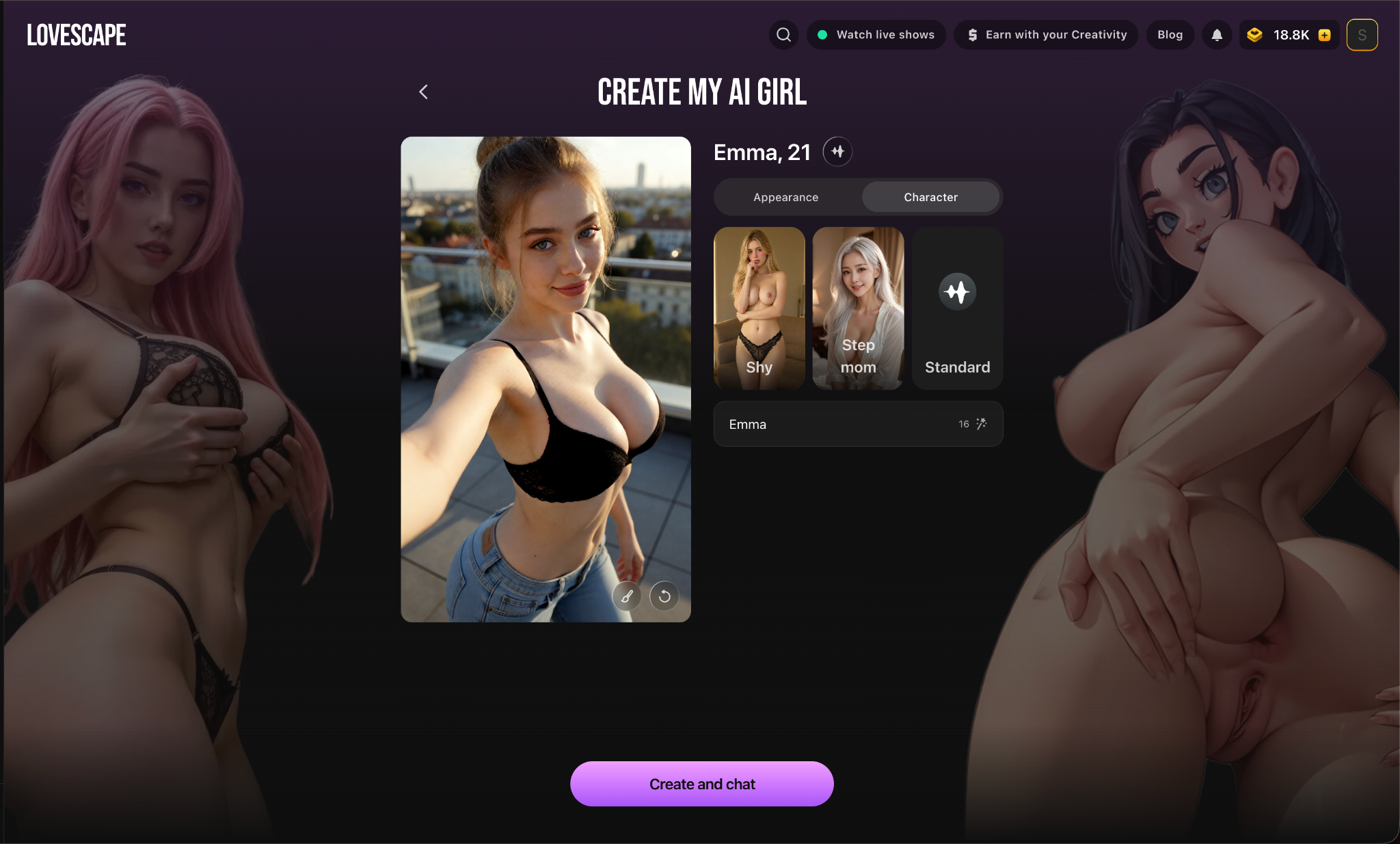
Start by opening the AI character creator and creating a new character.
Before adjusting her appearance, decide what kind of companion you want. Should she be outgoing and playful, calm and thoughtful, confident and independent, or romantic and affectionate?
A simple concept will help you make consistent choices throughout the process. For example, you might create a confident young professional who enjoys travel and witty conversations, a quiet creative character who loves books and photography, or an energetic fitness enthusiast with a playful communication style.
Any of these concepts can work. What matters is choosing details that reinforce the same identity instead of combining unrelated traits.
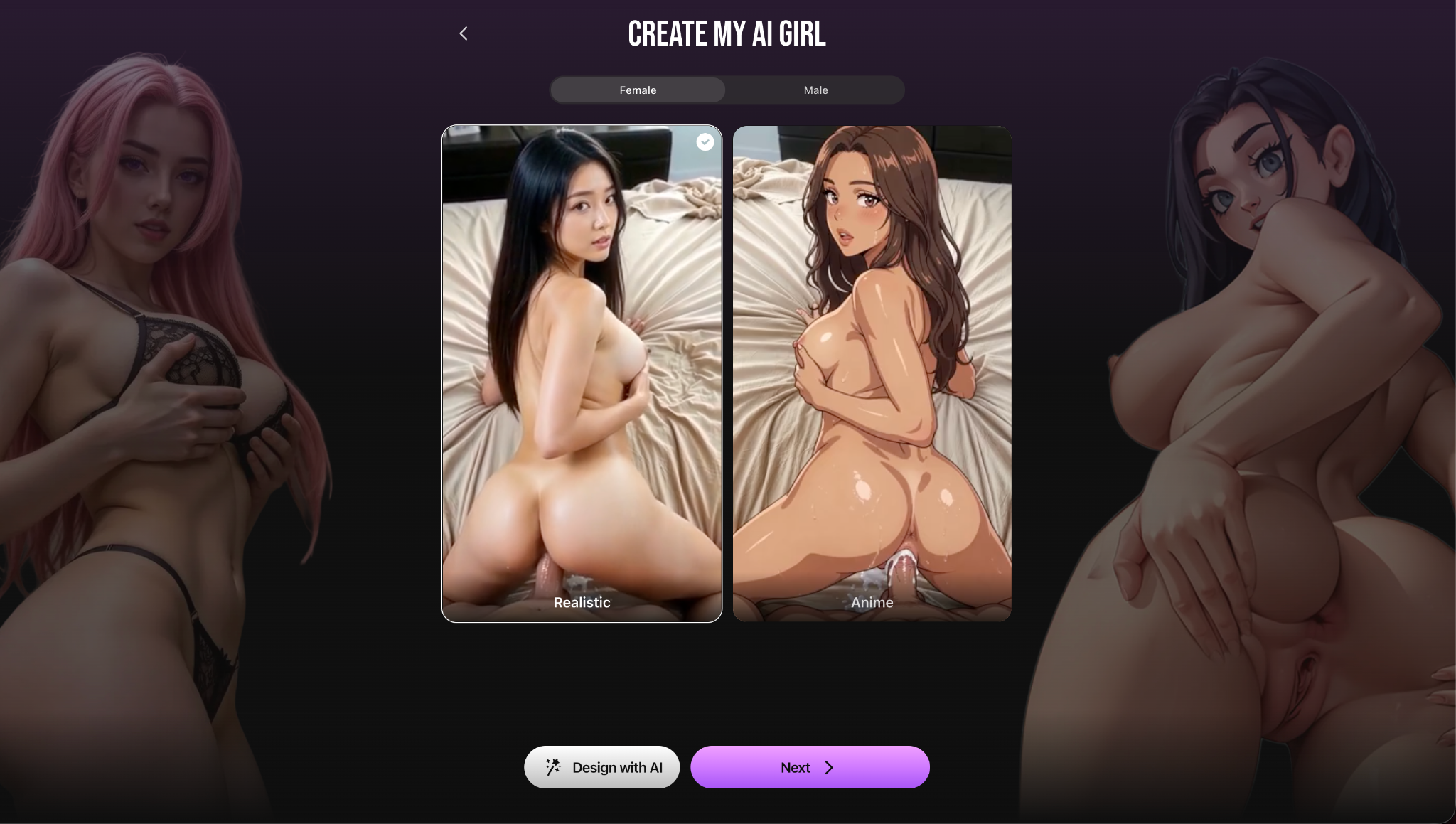
Step 2: Customize Your AI Girlfriend’s Appearance
Appearance creates the first impression, but realism depends on more than facial beauty. Focus on natural-looking features, balanced proportions, and styling that suits the personality you have in mind.
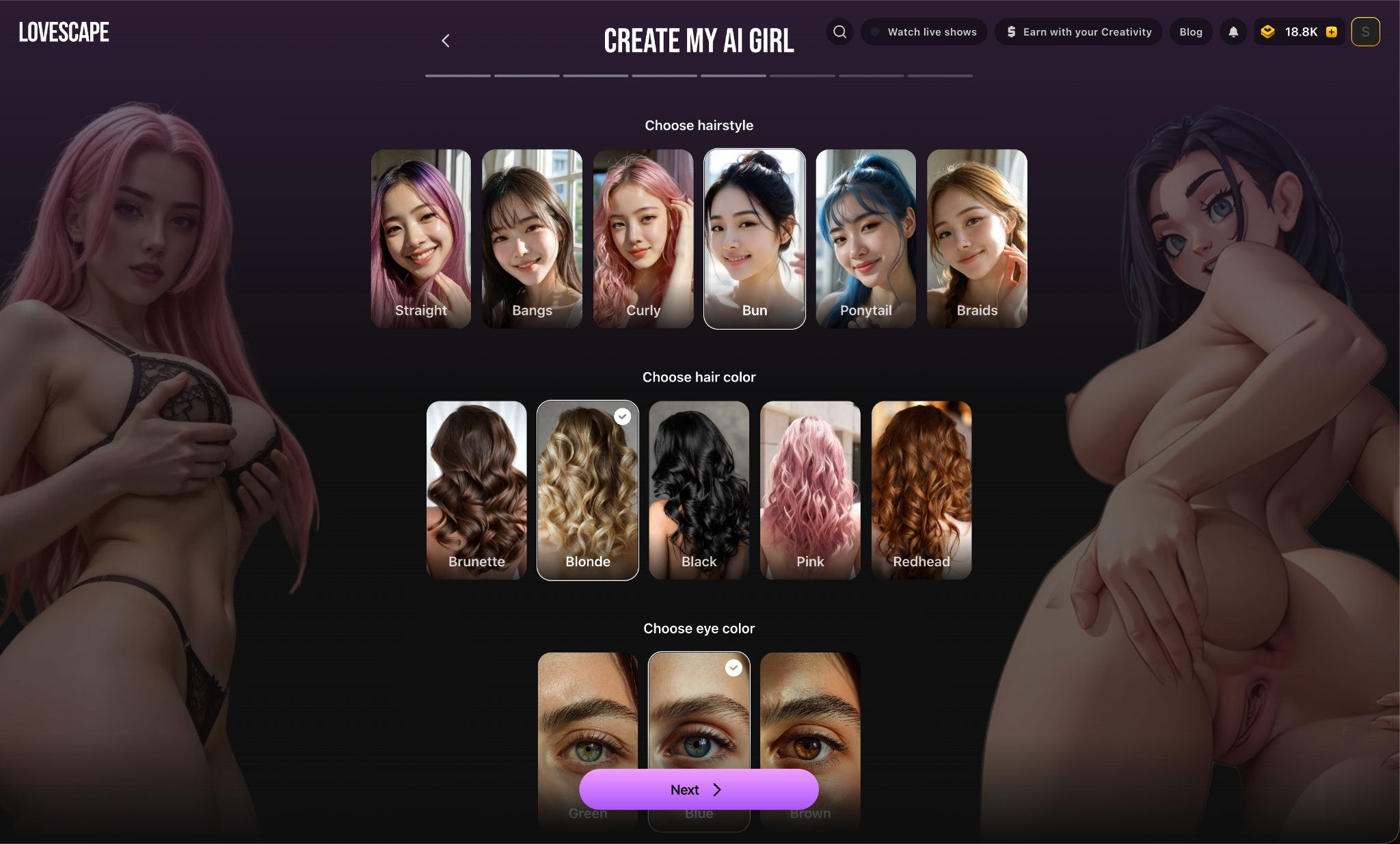
Choose Her Facial Features and Hairstyle
Begin with the features that define your character’s face: face shape, eye color, hairstyle, hair texture, distinctive details, and typical expression.
For a photorealistic character, choose a combination that looks natural rather than exaggerating every feature. She might have shoulder-length brown hair, green eyes, soft facial features, and a subtle smile. This creates a clear visual identity without making the design unnecessarily complicated.
Her hairstyle can also support the character concept. A relaxed haircut may suit a casual personality, while polished styling can reinforce a more elegant or professional image.
Adjust Body Type and Clothing Style
Choose a body type and proportions that fit your preferred design. You can then use clothing to communicate more about her personality.
Your AI girlfriend might prefer casual outfits, elegant dresses, sporty clothing, or a more distinctive fashion style. Consider the setting as well: everyday clothes work naturally in casual portraits, while formal outfits are better suited to special occasions or themed scenes.
Select a Realistic Visual Style
For a photorealistic result, look for natural lighting, realistic hair and skin texture, and familiar environments. If you prefer a slightly stylized character, you can choose a semi-realistic direction while keeping her key features recognizable.
Once you find a look you like, keep the main identifying details consistent in future images.
Step 3: Give Your AI Girlfriend a Unique Personality
A convincing AI girlfriend needs more than an appealing appearance. Her personality shapes how she communicates, which topics interest her, and how she reacts in different situations.
Start with a few defining traits, then add specific details that make them feel personal.
Choose Her Main Personality Traits
Think about how you want your companion to behave in everyday conversations. She might be playful, flirtatious, reserved, supportive, curious, ambitious, or independent.
Avoid selecting every positive trait. A smaller, more focused combination usually creates a clearer personality.
For example:
“Emma is confident, curious, and slightly sarcastic. She enjoys clever jokes, asks thoughtful questions, and likes talking about travel, music, and unusual experiences.”
This description provides more direction than simply calling her friendly, attractive, and intelligent.
Add Interests, Hobbies, and Personal Details
Interests give your character natural conversation topics and can make chats feel less repetitive. You might give her an interest in photography, cooking, fitness, books, gaming, art, or travel.
Specific preferences are more useful than broad labels. Instead of saying she loves music, describe her as someone who collects vinyl records and enjoys discovering independent artists.
You can also add a fictional occupation, favorite activities, and everyday habits. These details create context for future conversations and roleplay scenarios.
Define Her Communication Style
Two characters with similar traits can feel very different depending on how they communicate.
Decide whether your AI girlfriend should be expressive or reserved, playful or serious, direct or thoughtful, affectionate or independent, concise or talkative.
You can also specify whether she often uses humor, asks follow-up questions, or prefers deeper conversations. A defined communication style gives the character a more recognizable voice.
Step 4: Create a Background That Supports Her Personality
A fictional background helps explain why your character behaves the way she does. You do not need an elaborate biography—a few connected details are usually enough.
Consider where she lives, what she does, how she spends her free time, and what motivates her.
For example:
“Emma is a 21-year-old graphic designer who lives in a busy city. She enjoys weekend trips, photography, and visiting small coffee shops. She is independent and ambitious but becomes playful around people she trusts.”
This background reinforces her established personality and creates several natural conversation topics. You could ask about her latest design project, plan a fictional weekend trip, or discuss a place she recently photographed.
Avoid accidental contradictions. If your character is reserved and cautious, describing her as someone who constantly seeks attention may make her identity less consistent—unless that contrast is intentional.
Step 5: Start Chatting With Your Realistic AI Girlfriend
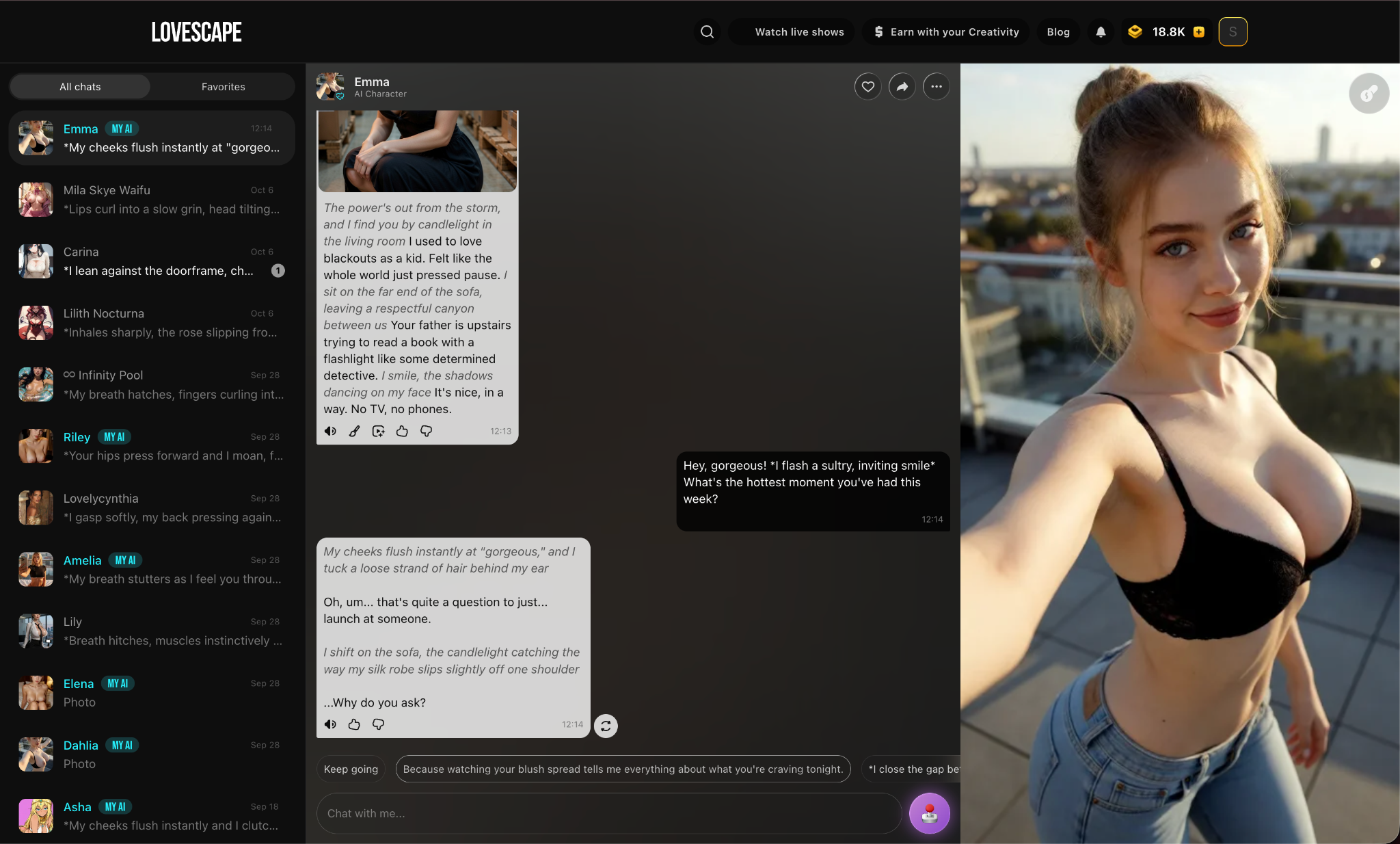
Once the character is ready, start a conversation to see how her personality works in practice. You do not need a detailed script or complicated scenario.
Begin With Natural Conversation
Open with a message that gives your character room to express herself:
“Hey Emma, how was your day? Are you working on anything interesting?”
“If we could spend a weekend anywhere, where would you want to go?”
“You seem like someone with strong opinions about music. What album would you recommend?”
“I’ve had a long day. What should we do to relax?”
These prompts encourage more personal responses than simple yes-or-no questions.
Make Your Conversations More Personal
Build on the interests and background you created. If she enjoys photography, ask what she likes to photograph. If she loves travel, suggest a fictional destination and plan a trip together.
Depending on the relationship dynamic you want, you can explore everyday conversation, playful flirting, or romantic scenarios.
Try to respond to what your character says instead of jumping between unrelated topics. Following the thread of the conversation gives the interaction a clearer direction.
Explore Romantic AI Chat and Roleplay
An AI girlfriend chatbot can also take part in interactive fictional stories. You might imagine a dinner date, a weekend getaway, or a scene in which two characters are getting to know each other.
Establish the setting and relationship context in a few sentences:
“Let’s imagine we’re spending the evening at a small restaurant overlooking the ocean. It’s our first date, and I’m curious to learn more about you.”
This gives the character a clear situation and an opportunity to respond in character.
Adult users can also explore adult-oriented fictional interactions with adult characters within the platform’s content rules.
Step 6: Make Your AI Girlfriend’s Conversations Feel More Natural
Even a carefully designed character can occasionally give generic, repetitive, or inconsistent responses. Better context and more open-ended messages can improve the conversation.
Ask Questions That Encourage Meaningful Responses
Questions with yes-or-no answers often limit the interaction. Instead of asking, “Do you like traveling?” try:
“What’s one place you’ve always wanted to visit, and what makes it special to you?”
The second version invites the character to express a preference and gives you more material for a follow-up. You can use the same approach for hobbies, relationships, goals, and fictional experiences.
Give Your Character Context
When introducing a new situation, explain enough for the character to understand what is happening.
Instead of “Let’s go somewhere,” try:
“We’ve been talking about taking a weekend trip. Let’s imagine we’re planning a few days in a quiet mountain cabin. What would you want to do first?”
The revised prompt provides a setting, a shared history, and a reason for the characters to interact.
Maintain a Consistent Character Identity
Keep using the same core traits, background details, and relationship context throughout your conversations.
If the character gives an inconsistent answer, remind her of the established detail and continue naturally. For example:
“I thought you preferred quiet coastal towns to busy resorts. Has something changed your mind?”
You do not need to control every response. The aim is to provide enough direction for the character to maintain a recognizable personality.
Step 7: Generate Realistic AI Girlfriend Images
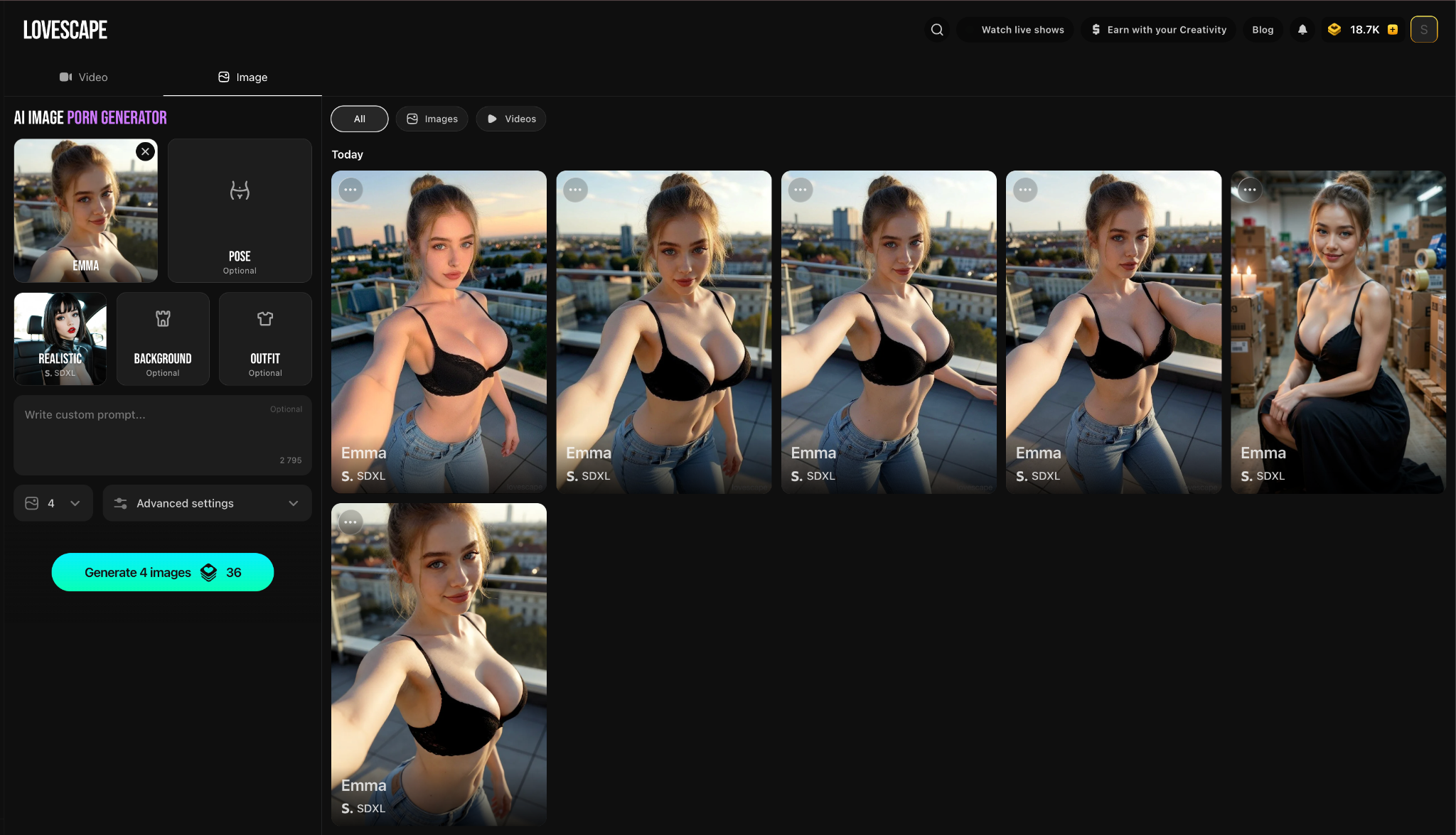
Text conversations are only one part of the experience. You can also generate images featuring your virtual girlfriend in different settings.
Create Images That Match Your Character
Choose scenes that suit her personality and fictional background. If she enjoys travel, create an image of her visiting a coastal town. If she prefers quiet evenings, try a casual portrait in a softly lit apartment.
Describe the appearance, outfit, lighting, background, and expression you want. For example:
“Photorealistic portrait of a fictional 27-year-old woman with shoulder-length brown hair and green eyes, wearing a casual cream sweater, sitting in a cozy coffee shop, natural window lighting, relaxed expression, realistic skin texture.”
Clear visual details help define the intended direction without overloading the prompt.
Keep Her Appearance Recognizable
Use the established character design as the foundation for each new image. Keep her main facial features, hair, and overall style consistent.
Change one or two elements at a time, such as her outfit, expression, pose, or location. If every feature changes at once, the result may look like a different character.
AI-generated images can vary, but a consistent visual description can make the collection feel more cohesive.
Step 8: Bring Your AI Girlfriend to Life With Videos
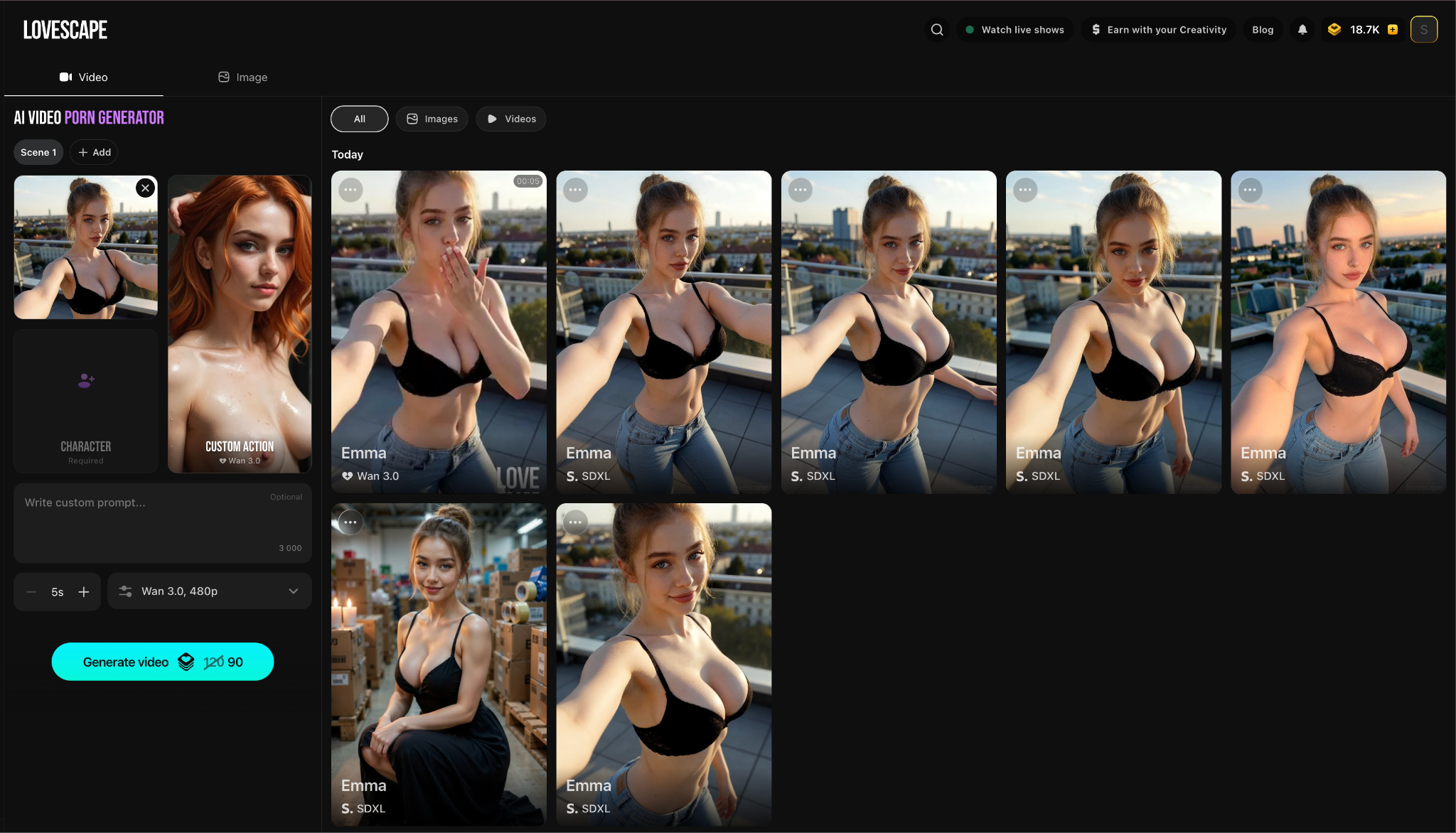
The platform also offers image-to-video generation, allowing you to use an existing character image as the starting point for a short animated sequence.
Choose an image you like and describe the motion you want to see. For example, your character might smile, turn toward the camera, or make a subtle gesture.
Simple movements that suit the original image tend to look more natural. Complex actions involving several body movements can be harder to reproduce consistently.
Experiment with different motion prompts and compare the results to find an animation style that fits your character.
Common Mistakes When Creating a Realistic AI Girlfriend
Making Every Personality Trait Perfect
A character who is endlessly cheerful, romantic, intelligent, funny, and agreeable may lack a distinctive personality.
Choose a few compatible traits and add recognizable preferences. “Confident but occasionally sarcastic” offers more personality than a list of generic positive adjectives.
Writing an Overly Complicated Backstory
A long biography is not always useful. Begin with the details that influence conversation: background, interests, personality, habits, and relationship dynamic.
You can introduce more information as your fictional story develops.
Changing Too Many Visual Details
Constantly changing facial features, hairstyle, body type, and visual style makes the character harder to recognize.
Keep her defining appearance consistent and experiment with outfits, poses, lighting, expressions, and environments instead.
Expecting Every Response to Be Perfect
AI-generated responses can occasionally misunderstand a message or introduce an inconsistent detail.
Clear prompts and relevant conversational context can reduce these issues, but they may not eliminate them. When necessary, clarify the situation or remind the character of an established fact.
Treating Realism as Appearance Alone
A photorealistic image does not automatically make a character engaging.
A believable AI girlfriend also needs a defined personality, recognizable communication habits, specific interests, and enough background to support meaningful fictional interactions.
Why Use Lovescape to Create a Realistic AI Girlfriend?
Lovescape brings character creation, interactive chat, image generation, and image-to-video tools into one experience.
- Create a custom AI girlfriend — Define her appearance and personality.
- Chat through fictional scenarios — Explore romantic, playful, or everyday interactions.
- Shape her identity — Add specific traits, interests, habits, and background details.
- Generate portraits and scenes — Visualize your virtual companion in different settings.
- Animate an existing image — Use image-to-video generation to add subtle motion.
- Develop ongoing stories — Build new interactions around the same character concept.
Keeping these elements connected makes it easier to build a companion whose appearance and behavior feel like parts of the same identity.
Create an AI Girlfriend Who Feels Personal to You
A realistic AI girlfriend feels most convincing when her appearance, personality, background, and communication style support one clear concept.
Start with a simple idea. Choose natural-looking visual details, define a few distinctive traits, and add specific interests that can shape your conversations. Then explore everyday chats and fictional scenarios to see how those elements work together.
As the character develops, you can refine her identity, generate images in new settings, and animate selected moments with AI-generated videos.