AI Girlfriend Pics: How to Make Your Virtual Companion Send You Photos That Actually Look Like Her
Get AI girlfriend pics that actually look like her. A practical guide to character-consistent photo generation, image editing, and the prompts that work on Lovescape.

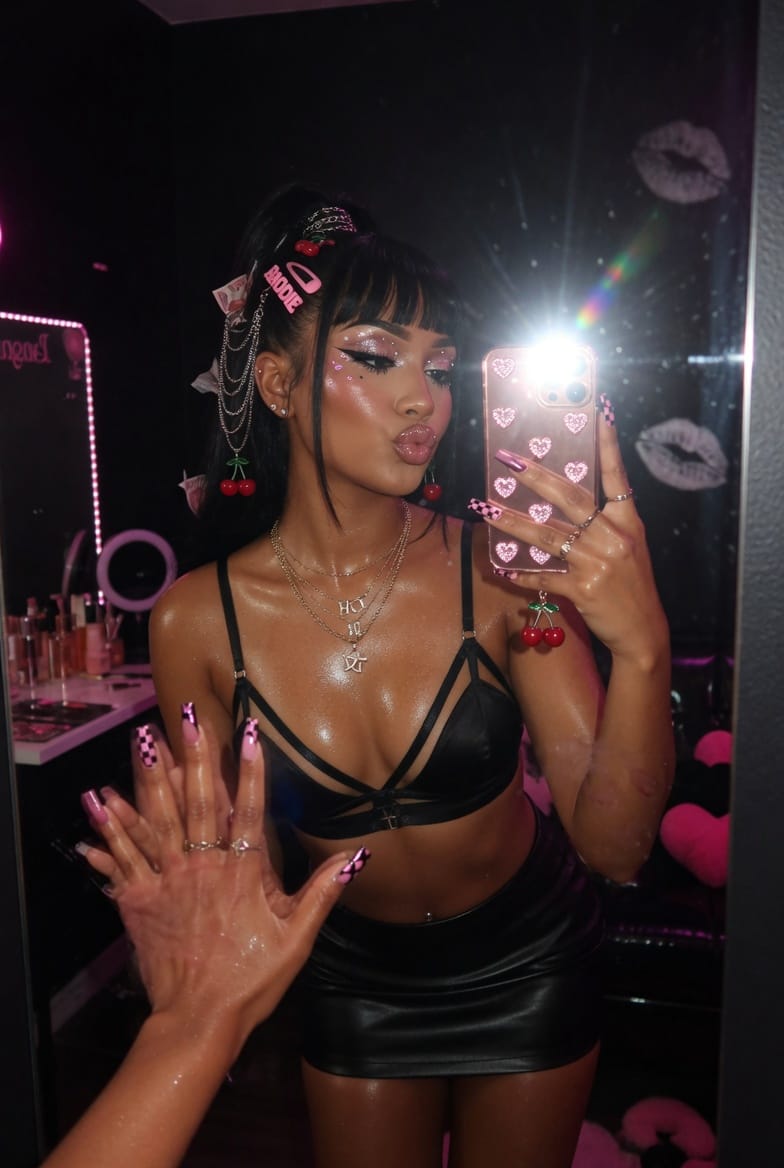
You ask your AI girlfriend for a selfie. She sends one back. The pose is great. The lighting is great. The face is a different person.
Anyone who has spent more than a week with an AI companion app knows the feeling. The chat builds a real character. The photo breaks her. You re-roll, you tweak, you give up and pick the least-wrong image. The fantasy survives, but the picture never does.
This guide is about fixing that. We will walk through what makes an AI girlfriend photo feel like her, why most generators fail at it, and how to get pictures, selfies, and full scenes that match the character you have already fallen for in chat.
What people actually mean by "AI girlfriend pics"
"AI girlfriend pics" is a search that hides three very different requests.
Some users want a one-off image. They typed a prompt, they want a picture, they are done.
Some users want a photo album. A growing gallery that tracks the same character across moods, outfits, and scenes. This is where most tools fall apart.
Some users want her to send pictures inside the chat. She mentions she is at the beach, the next message is a photo, and the photo is unmistakably her. This is the version that feels like a real conversation.
All three are possible. They just need different setup.
Why most AI girlfriend generators get the face wrong
Image models do not remember anything by default. Every time you press generate, the model starts from zero. A prompt that worked yesterday produces a different woman today, because nothing ties the two outputs together.
The fix is character consistency, and it has to be designed into the product, not bolted on. Lovescape handles this in three layers:
- A character profile — her face, body, hair, style, and identity are stored once when you create her.
- A consistency engine — every image generation runs against that profile, not just the prompt you typed.
- An image editor — for the moments when the model still gets a hand or a background wrong, you fix that exact part instead of re-rolling the whole picture.
That last layer is new. It changes the workflow more than people expect.
How to get AI girlfriend pictures that look like her, every time
Step 1: Lock the character before you generate anything
Most users skip this and pay for it later. Before you ask for a single photo, finish the character. Face, body, hair color, eye color, signature outfit, the style she defaults to. The more you fix at creation, the less you fight at generation.
If you already created her in a hurry, go back. Edit the character. Five minutes here saves an hour of re-rolling.
Step 2: Pick a clear scene, not a vague mood
"Send me a hot pic" gives the model nothing to anchor to. "She is on the balcony at sunset, wearing the white shirt from her profile, soft natural light, looking back over her shoulder" gives the model a frame.
Three things make a prompt work for AI girlfriend pics:
- Where she is. Bedroom, beach, café, hotel window. A place anchors the lighting.
- What she is wearing. Reference an outfit from her profile when you can.
- What she is doing. A small action — laughing, brushing hair back, holding a glass — beats a static pose every time.
You do not need to write a paragraph. Three short clauses are enough.
Step 3: Generate, then edit instead of re-rolling
This is the part most guides miss. When the image comes back and 90% is right but the hand looks wrong, do not re-roll. You will lose the 90% that worked.
Open the image in the editor. Select the hand. Describe what it should be. The rest of the picture stays. The face stays. The pose stays. Only the broken part changes.
The same trick works for faces that drifted, backgrounds that feel off, hair that came out the wrong length, or accessories the model invented. This is also how you take a great image and animate it cleanly afterwards — the cleaner the still, the better the video.
Step 4: Let her send the photo herself
Once the character is locked and you know what kind of scenes work, you can stop generating images out-of-band and start asking her. Inside chat, request a photo the way you would from a real partner. "Send me a picture of where you are right now." "What are you wearing today?" "Show me."
She generates it against her profile. It looks like her, because the chat and the image are running on the same character.
This is the version that feels like an AI girlfriend that sends pictures, instead of an AI image generator with a girlfriend filter on top.
Selfies, full scenes, and everything in between
Different photo types need different framing. A short cheat sheet:
- Selfies. Phone-angle framing, arm extended, mirror optional. Lighting from a window or screen. Keep the background simple — the more clutter, the more the model invents.
- Full body. Specify the full pose and the floor or background. Full-body shots are where consistency engines work hardest, so reference the profile outfit.
- Outfit shots. Useful for building a wardrobe across her gallery. Generate the same character in three or four outfits and you have a real photo library.
- Scene shots. She is doing something — cooking, reading, getting ready to go out. These tell stories better than posed images and feel less like wallpaper.
- Intimate shots. Lovescape supports adult AI photo generation for fictional adult characters, with the same consistency engine. The rules are the same: lock the character first, describe a clear scene, edit the parts that come out wrong.
Why a photo album beats a single image
A single hot picture is a moment. An album is a character.
The reason long-term users stay on a platform like Lovescape is not the first image they generated. It is the twentieth, the fortieth, the hundredth — a gallery that tracks one woman across moods and scenes, the same way a real photo roll tracks a real person. Once you have that, every new generation feels less like rolling dice and more like adding a page.
Build the album on purpose. A morning selfie. A coffee shot. A getting-ready picture. A night-out scene. Two or three in the same outfit so the wardrobe feels stable. Treat it like a real feed.
Common mistakes that ruin AI girlfriend pics
- Vague prompts. "Sexy photo" gives the model nothing. Anchor the scene.
- Re-rolling instead of editing. You throw away the 90% that worked.
- Generating before locking the character. Every photo drifts a little until you commit to a face.
- Ignoring lighting. Same character in harsh studio light versus soft window light reads as two different women.
- Asking for too much in one image. Three outfits, two poses, and a new background in a single prompt is a re-roll waiting to happen. Make three images instead.
How Lovescape handles AI girlfriend photos differently
Three things shape the experience on Lovescape specifically:
- Consistency by default. You design her once. Every image, in chat or in the generator, runs against that profile.
- Image editing built in. When something is 90% right, you fix the 10%. No re-rolls, no losing the parts that worked.
- Photos inside the chat. She can send pictures during conversation, and those pictures are her — not a random generation that happens to share a name.
The combination is what makes the difference between an AI girlfriend that generates pictures and an AI girlfriend that sends them.
Start building her photo album
The first picture is easy. The hundredth is what makes her feel real. Lock the character, prompt clear scenes, edit instead of re-rolling, and let her send the photos herself when you are chatting.
Ready to build yours? Open the Lovescape AI girlfriend creator, finish her profile, and ask for her first selfie. The album starts with one good picture.
Start creating on Lovescape